
Download InboxPlus – AI‑Powered Follow‑Up Automation Tool for Sales & Support
Introduction & Overview
InboxPlus is a cloud‑based, subscription‑driven platform that redefines how sales, marketing, and customer‑service teams manage outreach. Built on a foundation of artificial‑intelligence, the software automatically generates personalized email, LinkedIn, SMS, and chat sequences that adapt to each prospect’s behavior in real time. By centralizing every touchpoint—whether it’s a quick follow‑up email or a multi‑step LinkedIn campaign—InboxPlus eliminates the manual grind of drafting, scheduling, and tracking messages.
The result is a shorter sales cycle, higher response rates, and a data‑rich environment where managers can fine‑tune messaging strategies based on concrete performance metrics. The platform shines in its seamless Gmail integration, delivered via a Chrome extension that embeds powerful controls directly inside the compose window. This means users never have to leave their inbox to schedule a follow‑up, insert an AI‑crafted template, or check real‑time analytics.
For larger teams, InboxPlus offers robust collaboration tools, role‑based permissions, and shared sequence libraries, ensuring consistent communication across the organization. Security is also a priority: all data is encrypted at rest and in transit, and the service complies with GDPR, CCPA, and SOC 2 standards. Whether you’re a solo founder hunting leads or a multinational support department handling thousands of tickets daily, InboxPlus provides a single, secure hub that turns chaotic outreach into a predictable, revenue‑generating engine.
Key Features That Set InboxPlus Apart
- AI‑Crafted Templates: Instantly generate subject lines and body copy that match the tone, intent, and industry of each prospect, reducing writer’s block and boosting open rates.
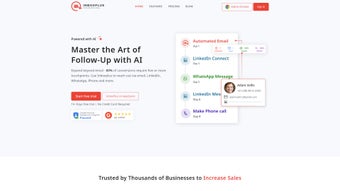
- Unlimited Multi‑Touch Sequences: Design complex, step‑by‑step workflows across email, LinkedIn, SMS, and chat platforms, with triggers based on opens, clicks, replies, or time delays.
- Gmail Chrome Extension: Embed full InboxPlus functionality inside Gmail, allowing one‑click scheduling, template insertion, and real‑time tracking without leaving your inbox.
- Live Analytics Dashboard: Track opens, clicks, replies, conversion funnels, and revenue impact in real time; export CSV reports for deeper analysis.
- Team Collaboration & Permissions: Assign roles (Admin, Manager, Agent), share sequences, leave comments, and audit activity logs to maintain brand consistency.
- Task & Reminder Engine: Convert pending replies into actionable tasks with due dates, priority flags, and automated reminders.
- Email Tracking & Read Receipts: Receive instant notifications when a recipient opens an email or clicks a link, enabling timely follow‑ups.
- Secure Cloud Storage: All templates, sequences, and analytics are stored on encrypted servers, meeting GDPR, CCPA, and SOC 2 compliance.
- API Access & Webhooks: Pull and push data to your CRM, help‑desk, or marketing automation tools for a truly unified workflow.
- Continuous AI Model Updates: Monthly AI refinements keep your language fresh and aligned with evolving market trends.
Installation, Setup & Daily Usage
Getting Started Quickly
The onboarding process is intentionally frictionless. Begin by visiting the official InboxPlus website, selecting the subscription tier that matches your team size, and completing a secure checkout. After payment, you’ll receive a verification email containing a link to set your password and complete your profile. Once logged in, a guided tour walks you through the core concepts: creating a new sequence, selecting triggers, and letting the AI suggest content. Each step can be personalized with merge tags such as {{FirstName}} or {{Company}} to keep messaging relevant.
Chrome Extension Installation
To install the Gmail extension, navigate to the “Integrations” tab, click “Add Chrome Extension,” and follow the prompts in the Chrome Web Store. After installation, a new InboxPlus icon appears in Gmail’s compose toolbar. Clicking the icon opens a side panel where you can pick a saved sequence, generate an AI‑crafted draft, or schedule a follow‑up without leaving the compose window. The extension works on Chrome 90+ and automatically updates in the background, ensuring you always have the latest features.
Team Configuration & Collaboration
Administrators can manage users on the “Team Settings” page, assigning roles that control who can create, edit, or publish sequences. The built‑in “Comments” feature allows teammates to leave feedback directly on a sequence step, fostering continuous improvement. For larger organizations, the API provides deeper integration with Salesforce, HubSpot, or custom CRMs, enabling automatic lead import and activity syncing.
Daily Workflow
After your sequences are live, the platform handles the heavy lifting: it sends emails at optimal times, tracks engagement, and nudges you when a prospect takes a meaningful action. The analytics pane offers filters by date range, campaign, or individual user, and you can export the data for quarterly reviews. Additionally, the “Smart Recommendations” sidebar surfaces underperforming steps and suggests AI‑driven tweaks, helping you iterate quickly and maintain high response rates.
Compatibility, Pros & Cons
InboxPlus runs entirely in the browser, supporting Chrome, Edge, Firefox, and Safari on Windows, macOS, Linux, and even mobile browsers on Android and iOS. The only native component is the Gmail Chrome extension, which requires Google Chrome version 90 or later. Because all data lives in the cloud, there’s no need for local installations, making the tool ideal for remote, hybrid, or distributed teams.
Pros
- AI‑generated templates cut drafting time by up to 70 %.
- Multi‑channel sequencing keeps prospects engaged across email, LinkedIn, SMS, and chat.
- Deep Gmail integration creates a frictionless workflow for Google Workspace users.
- Real‑time analytics provide clear visibility into campaign performance and ROI.
- Robust team collaboration features ensure brand consistency and accountability.
- Secure, GDPR‑ and CCPA‑compliant storage protects sensitive customer data.
- API and webhooks enable seamless integration with existing tech stacks.
Cons
- Subscription pricing can be prohibitive for very small businesses or solo freelancers.
- The Chrome extension is limited to Gmail; Outlook users must rely on the web interface.
- Advanced API access is only available on higher‑tier plans, restricting deep integrations for some.
- Complex multi‑step sequences may require a learning curve for non‑technical users.
- Mobile experience is limited to the browser; no native iOS/Android app is currently offered.
Overall Verdict: InboxPlus delivers a powerful blend of AI‑driven automation, cross‑channel outreach, and deep analytics that significantly improve sales and support efficiency. While the price point may be a barrier for solo entrepreneurs, the productivity gains and data insights make it a compelling investment for growing teams.
Frequently Asked Questions & Final Call to Action
Can I use InboxPlus without a Gmail account?
Yes. While the Chrome extension is optimized for Gmail, the web dashboard works with any email provider. You can manually import contacts or connect via API to Outlook, Zoho, or other services on higher‑tier plans.
Is there a free trial available?
InboxPlus offers a 14‑day free trial with full feature access. No credit card is required, and you can cancel anytime before the trial ends.
How does InboxPlus ensure data privacy?
All data is encrypted at rest and in transit using TLS 1.3. The platform complies with GDPR, CCPA, and SOC 2 standards, and you can configure data residency settings for EU‑based organizations.
Can I customize the AI‑generated templates?
Absolutely. The AI provides a draft that you can edit, add custom variables, or replace entirely. Saved custom templates become part of your personal library for future use.
What support options are available?
InboxPlus offers 24/7 email support for all plans, live chat for Premium and Enterprise tiers, and a comprehensive knowledge base with video tutorials and community forums.
In today’s hyper‑connected marketplace, reaching prospects at the right moment with a personalized message can be the difference between a closed deal and a missed opportunity. InboxPlus equips sales and support teams with AI‑powered automation, cross‑channel sequencing, and actionable analytics—all wrapped in a secure, easy‑to‑use interface. While the subscription cost reflects its enterprise‑grade capabilities, the efficiency gains, higher response rates, and deeper insight into communication performance quickly offset the investment for most growing businesses.
Ready to streamline your outreach, eliminate manual follow‑ups, and turn data into decisive action? Download InboxPlus today and start your free trial. Experience the future of automated communication and watch your conversion metrics climb.



.png)



